
Image Editing Just Got a Major Upgrade: Import Photos and Place Objects Freely
We've been listening to the professionals in the field. Whether it's wanting to show clients a realistic bathroom or kitchen remodel, or placing furniture directly onto a site photo for a proposal, the feedback has been clear. This update brings three major additions to ArchiX's AI image editing tools.

AI Image Editing: Now Works with Your Own Photos
Previously, only images generated inside ArchiX could be edited. Now you can import any external photo or image directly into the editor, opening up a much wider range of use cases.
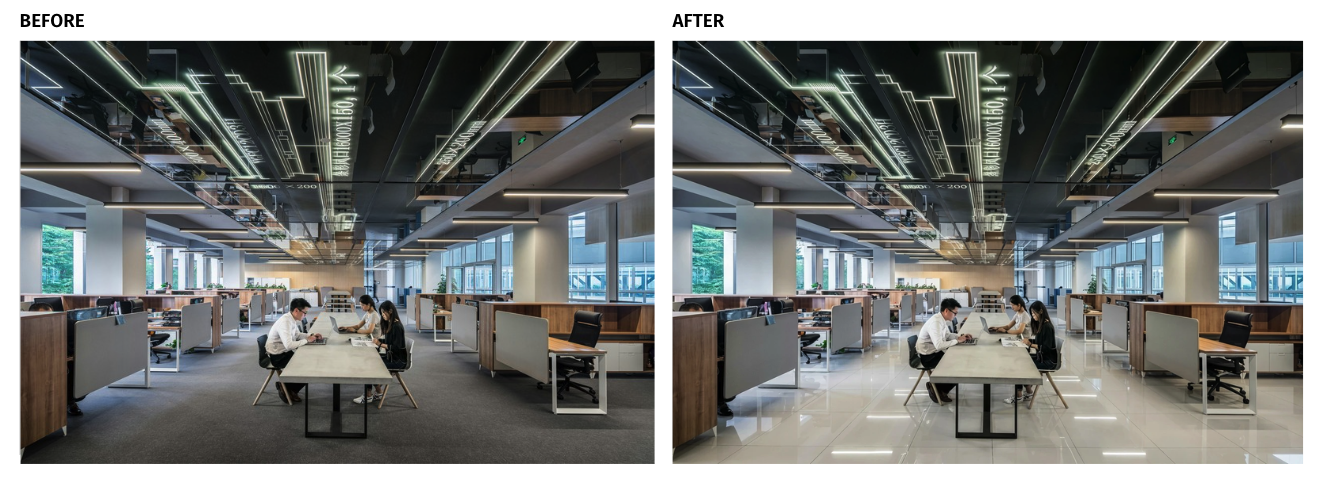
Changing the flooring material via prompt
- Import a photo taken on-site with your phone, then swap out desks, chairs, wallpaper, or flooring to show clients what a renovation would look like.
- Take existing project photos and layer in new interior elements to create refreshed visuals.
- Import 3D renders from other software and use ArchiX for the finishing touches and decoration.
Instead of starting from scratch every time, you can now build on what already exists, making the entire journey from site visit to client proposal faster than ever.
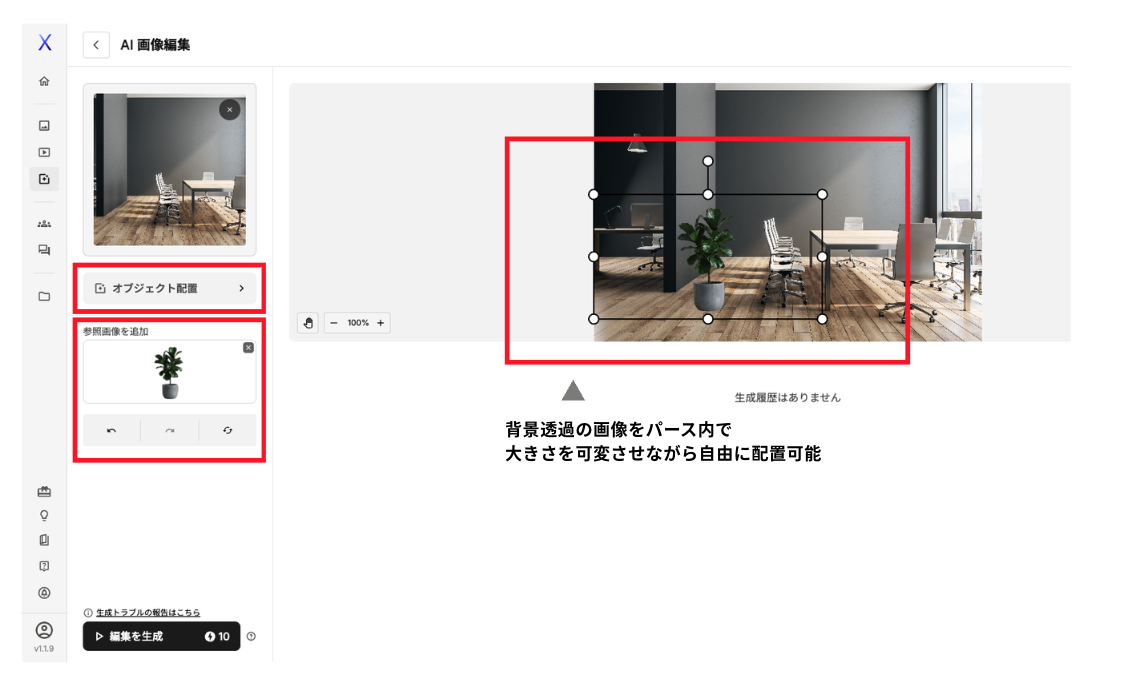
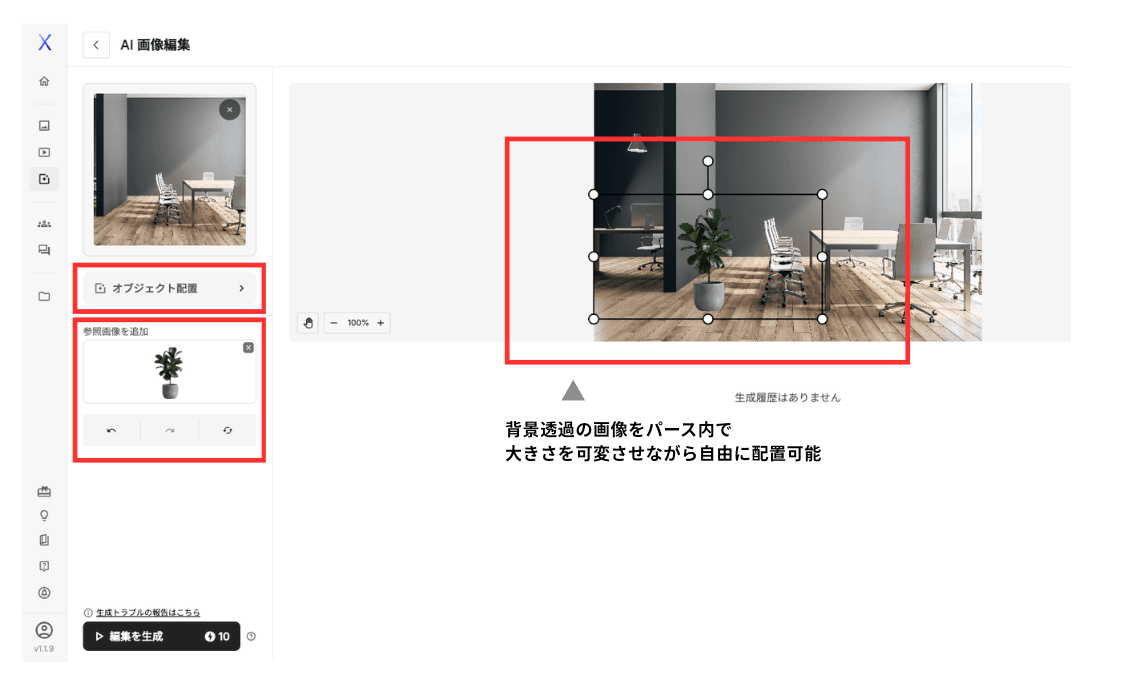
Object Placement: Fine-Tune Position and Size Directly on the Canvas
Previously, furniture placement and sizing were largely left to the AI, and getting the right result often required repeated prompt adjustments. With this update, you can now freely position and resize furniture and fixtures directly on the perspective render.
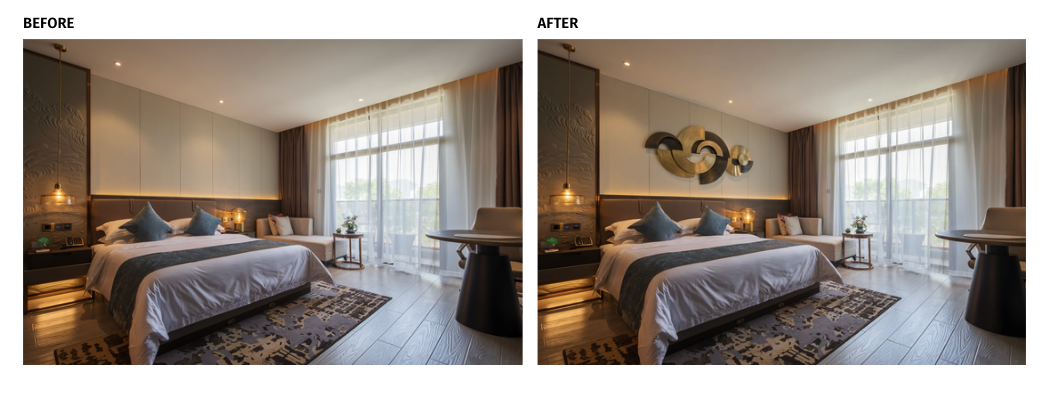
Placing a wall object at true-to-life scale
- Add specific furniture pieces on top of a finished render
- Resize a bed to fit the actual room dimensions
- Hang wall art at the right eye level and true scale
This gives you precise control over the spatial feel of a proposal, making it more convincing and easier for clients to visualize.
Color Correction: Brightness and Contrast, Without Switching Tools
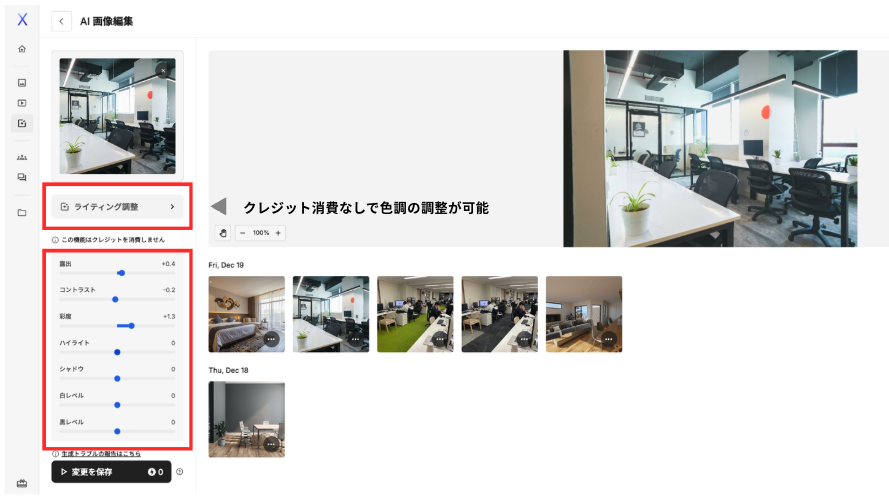
Overcast site photos, backlit interiors, dim lighting conditions - these are common challenges that used to require jumping into Photoshop or another editing app. That's no longer necessary. With built-in brightness and contrast adjustment, everything from render generation to final color correction now happens in one place. Less time switching between tools means more time focused on delivering polished proposals to clients.
Coming Up Next
Print-Ready, High-Resolution Output
The next update will introduce an upscaling feature that enhances image resolution by filling in pixel detail. This means renders won't just look great on screen - they'll hold up in printed materials like brochures and flyers as well.
ArchiX is built to give professionals both speed and quality. Try the updated image editing features on your next project and see the difference firsthand.
Not signed up yet? You can get started free with a two-week trial, which includes 1,000 credits.

Already using ArchiX? If you'd like a walkthrough of these new features or want to get more out of the platform, we offer online demos tailored to your workflow. Book a session anytime using the link below.