
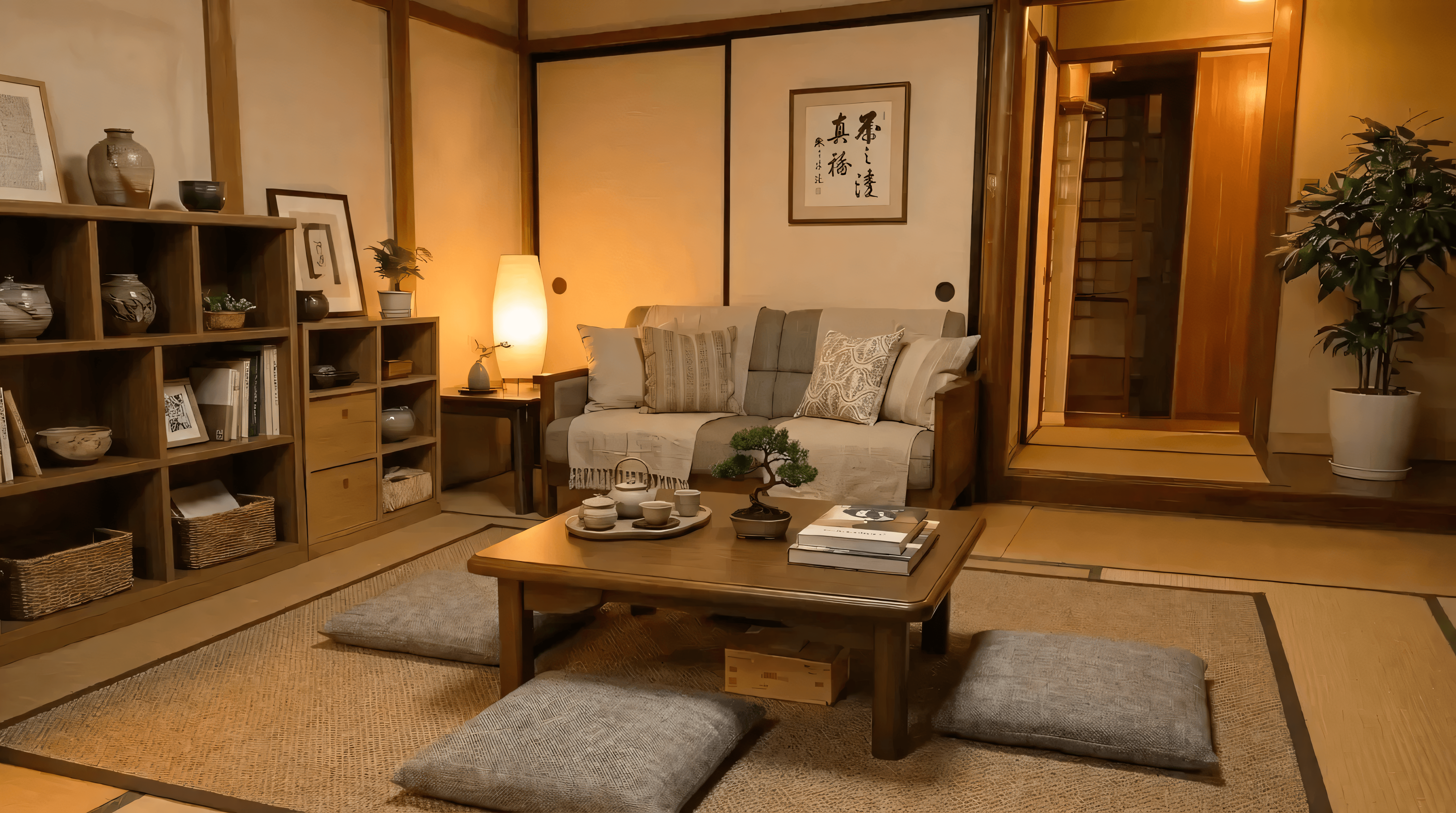
The Best AI Virtual Staging Software for Real Estate Agents in Terms of Realism

AI virtual staging has matured past being a cheap novelty. It's now a practical way to ship more listings, faster, without sending an in-person staging team to every property. Traditional staging typically costs between $800 and $3,000 per room. AI staging produces a comparable, listing-ready result for a small fraction of that.
The hard part isn't generating a pretty image — it's generating one that can pass as a truthful photo. The room geometry must stay consistent, perspective can't drift, lighting should match the scene, and furnishings need physically plausible scale and placement.
Why Most AI Staging Looks Fake
Most "obviously fake" staging comes from a few repeatable failure modes:
Walls move, windows change shape, doorways warp, or new architectural elements appear that weren't in the original photo.
Furniture scale is wrong, or objects appear to "float" because the model didn't respect the scene's vanishing points.
Floor grain direction changes, reflections don't match light sources, or shadows ignore occlusion between objects.
Aggressive denoising makes images look airbrushed and synthetic rather than photographed in a real space.
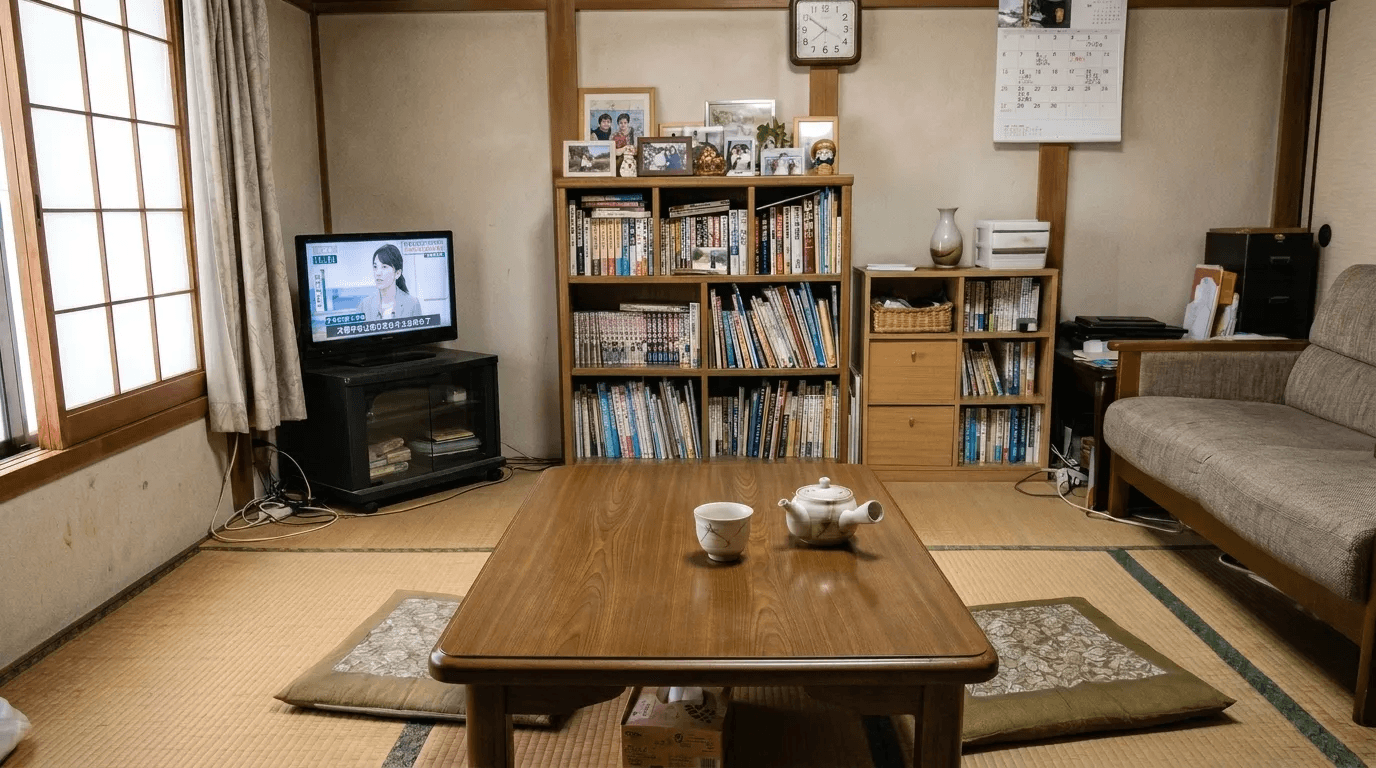
To solve these exact failure modes, we built ArchiX. Let's walk through how it turns an amateur photo of a living room into something suitable for a listing.
What ArchiX Is
ArchiX is an AI visual suite spanning image generation, image editing, and video, with a workflow optimized for structure-preserving outputs. In practice, you start from a real photo or a base image and drive controlled changes with prompts, masks, and references.
A key realism detail: ArchiX asks you to classify inputs (for example, photo vs. sketch/CG perspective, and interior vs. exterior). Different model routes and conditioning strategies are appropriate depending on the input — photo editing generally needs stricter structure preservation than sketch-to-render generation.
Step 1: Reframing the Shot
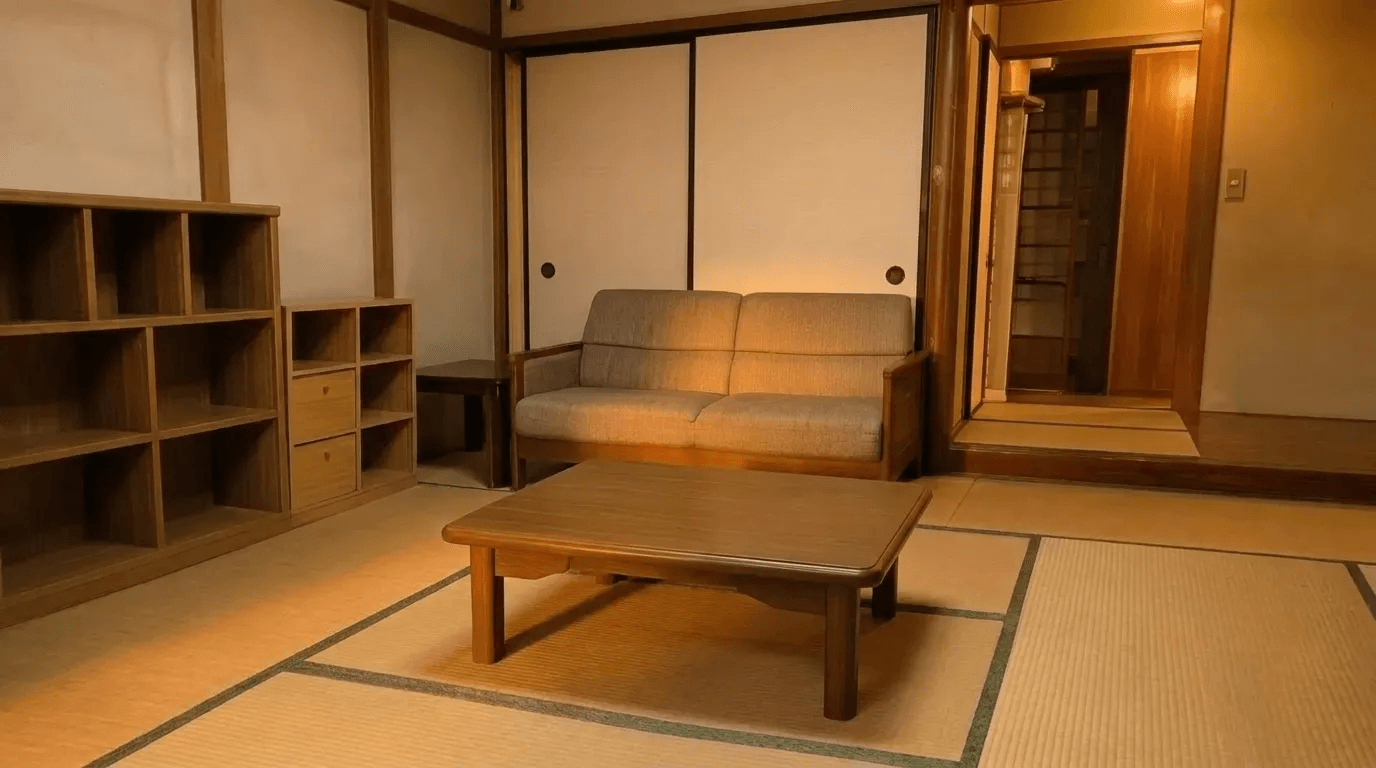
In the original photo, the photographer was only able to capture the room from one angle, giving a false impression of the space.
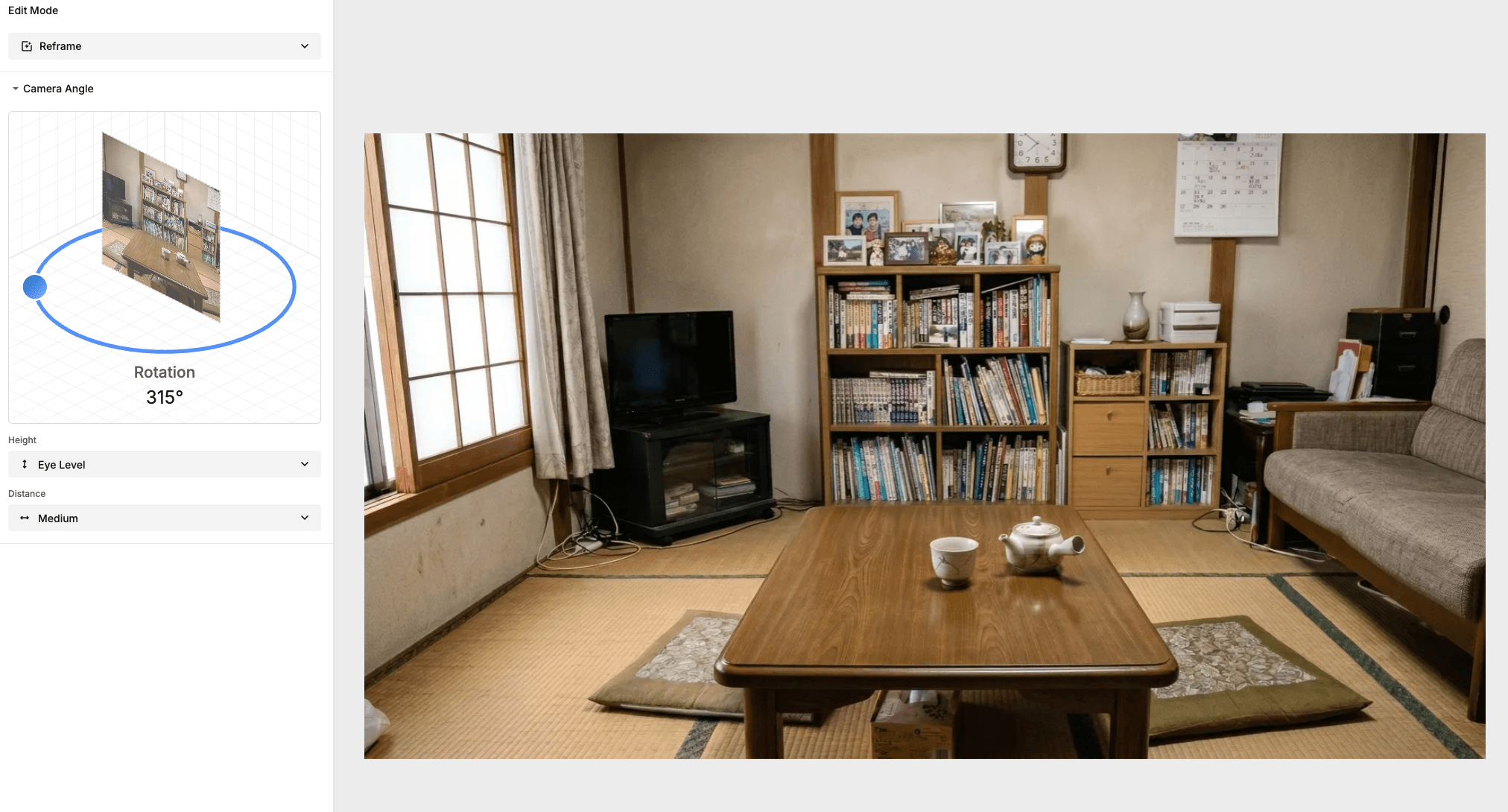
The Reframe tool lets you virtually change the view to face the active area of the room. Instead of creating impossible angles, it helps overcome physical constraints (a tight corner, a narrow doorway) to better showcase the true flow of the space. In this case, we rotate the view to face the sofa.
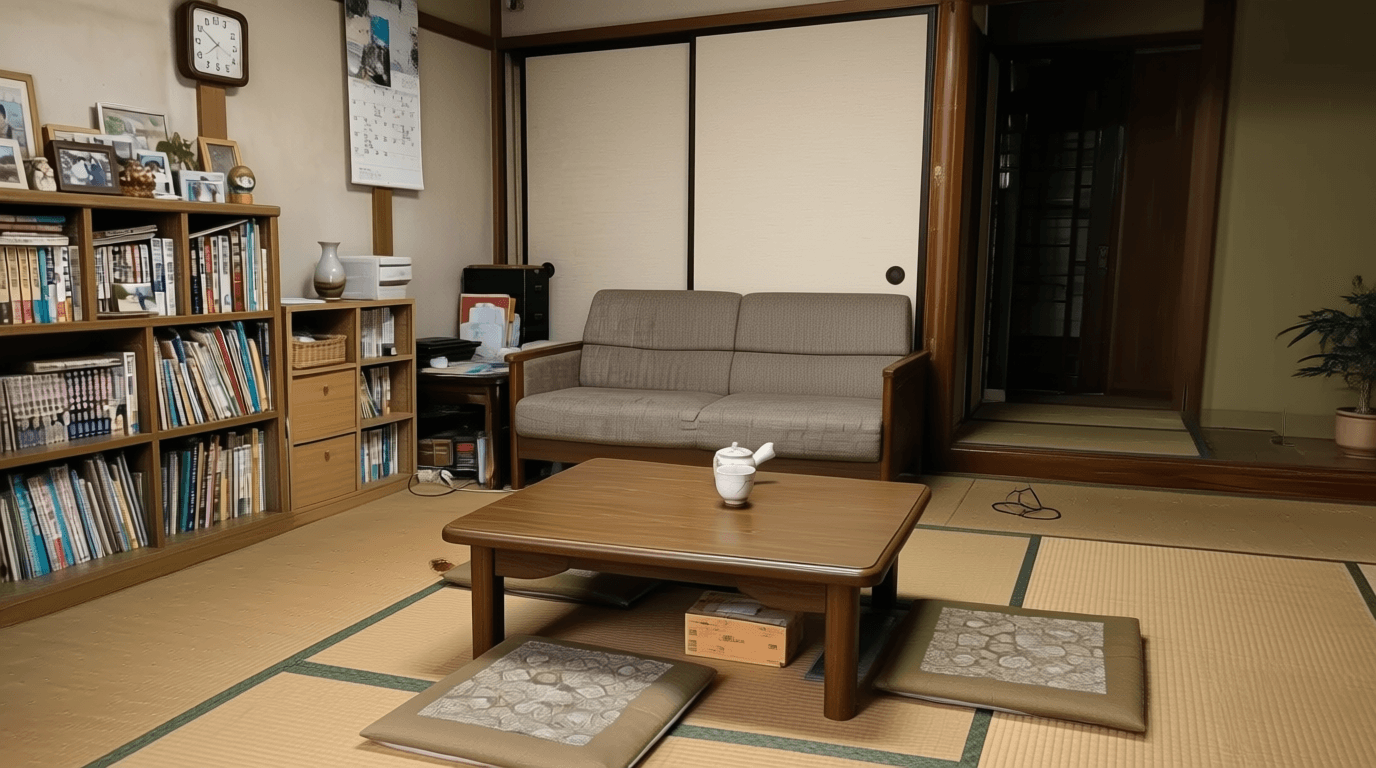
Step 2: Lighting and Decluttering
Lighting is one of the biggest realism levers in virtual staging. ArchiX uses pretested prompts for Morning, Day, and Night rather than relying on open-ended prompting. This keeps shadows and global illumination consistent, one of the most common giveaways in synthetic staging.
For exploration without sacrificing constraints, ArchiX can generate up to three variations in a single run, letting you sample multiple furniture layouts and styling directions while keeping the same structural anchor, then choose the most believable result.
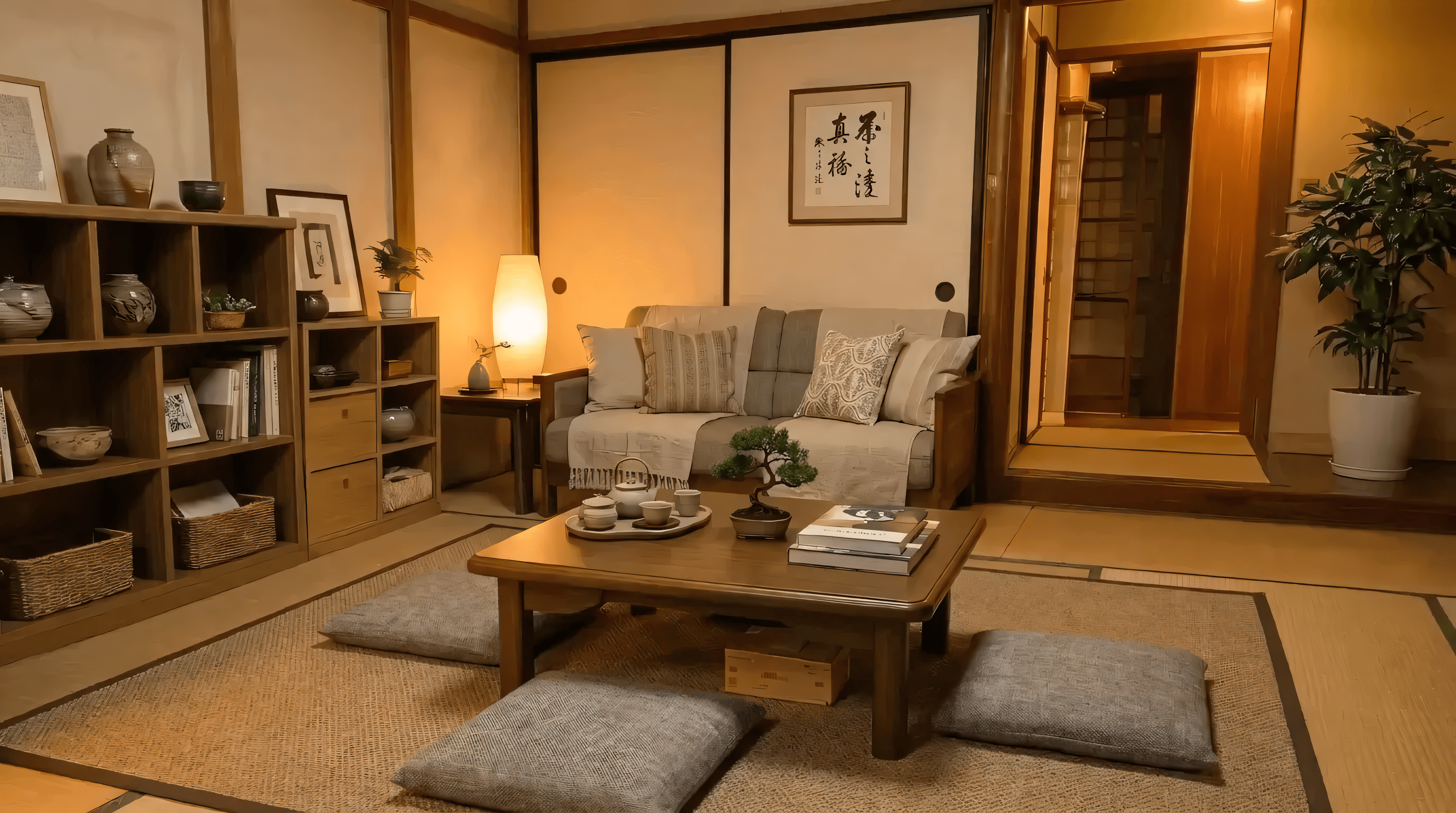
In our case, we want to give the room a warm Japandi look and declutter the space so the current tenant's belongings don't distract potential buyers. One click activates the declutter option, and setting the time of day to Morning gives a nice golden-hour feel.
Step 3: Prompt Assistance
A surprisingly large source of realism issues is prompt ambiguity rather than pure image quality. Users often don't know the right vocabulary, and multilingual phrasing can introduce inconsistent specs. ArchiX includes prompt assistance, optimization, and translation so the underlying model receives a more explicit, standardized instruction set.
For example, a short style phrase like "Japandi" gets expanded into a more detailed, constraint-friendly description that is easier for the model to execute predictably.
Step 4: Targeted Partial Edits
For real work, realistic staging almost always requires iterative corrections: removing cables, adding a rug, swapping a sofa, correcting lamp position, adding greenery. ArchiX supports mask-based inpainting edits where you select a region, describe the change in natural language, and regenerate only that area while preserving the rest of the image.
This localized edit approach is essential for realism because it minimizes global drift, and it effectively provides Photoshop-like control without manual compositing.
What to Look for in Virtual Staging Software
For real estate agents, the best virtual staging software is ultimately the one that minimizes structural hallucination, provides lighting and style controls, supports precise mask-based edits, and stays consistent across variations.
ArchiX's workflow focuses on exactly these details, so you can produce results that read as staged by a human, not generated by a model. Whether you call it virtual home staging or real estate virtual staging, the before-and-after results speak for themselves: a cluttered, poorly lit room becomes a clean, listing-ready photo that helps sell the space.
Interested in trying out these tools for your next listing? Start a free trial and see what's possible.
Start Free at archix.aiFrequently Asked Questions
Yes, when the software preserves room geometry, perspective, lighting, and materials. ArchiX is built to avoid the common failure modes like structure drift, floating furniture, and mismatched shadows, so results read as photographed, not generated.
Not when it is done well. The usual giveaways are inconsistent shadows, warped walls or windows, and wrong furniture scale — which ArchiX's structure-preserving workflow and pretested Morning, Day, and Night lighting are designed to eliminate.
Traditional in-person staging typically runs $800 to $3,000 per room. AI virtual staging produces a comparable, listing-ready result for a small fraction of that, and you can start free at archix.ai.
You start from a real photo, classify the input (photo vs. sketch, interior vs. exterior), then drive controlled changes with prompts, masks, and references: reframing the view, decluttering, adjusting lighting, and making localized edits while keeping the room's structure intact.
Look for software that minimizes structural hallucination, offers lighting and style controls, supports precise mask-based edits, and stays consistent across variations. These are the factors that separate results that look real from results that look generated.