
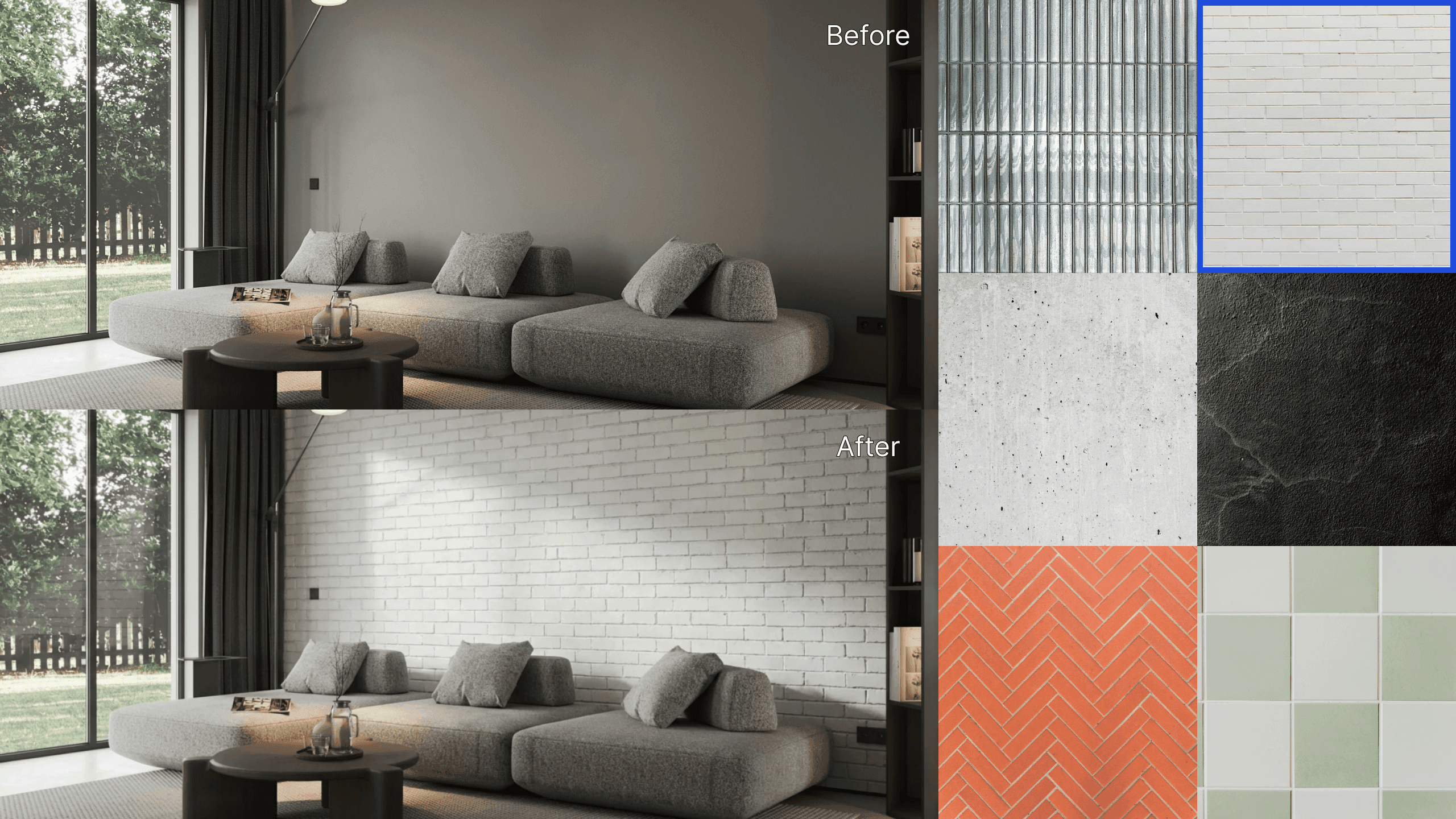
ArchiX Renewed: Request Tool, AI Staging, and Team Features (Feb 2026 Update)
After an early access period, ArchiX launched its renewed platform on February 24, 2026, with AI perspective generation at its core. This update brings a redesigned UI, a structured prompt tool that reduces trial and error, a new AI staging feature built for real estate professionals, and improved team collaboration capabilities. Here's a look at what's new.
1. The Request Tool: Clearer Instructions, Fewer Attempts
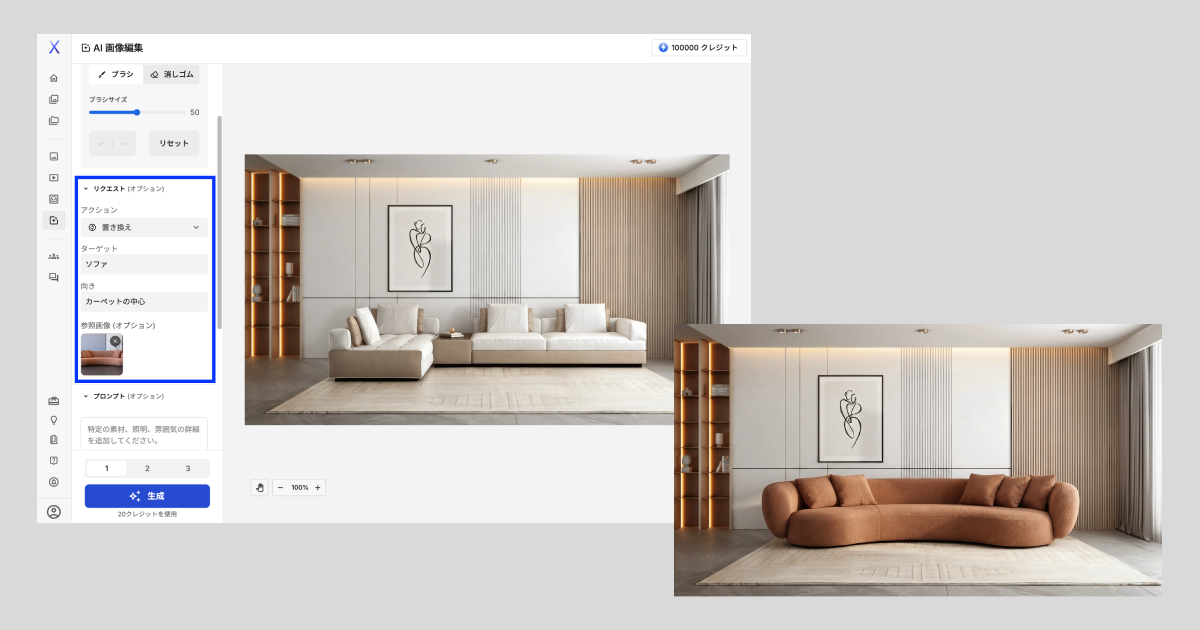
If giving instructions to an AI has ever felt unclear or frustrating, the new Request Tool was built to fix that. Rather than writing open-ended prompts from scratch, you select a predefined action - replace, remove, change color, and others - then specify the area or element you want to affect. ArchiX handles the rest.
- Structured input: Choose an action and describe what to change. No prompt writing experience needed.
- More efficient: Fewer rounds of iteration means less time spent and fewer credits used per result.
- Coming soon: A multi-request mode is in development, which will allow multiple edits to be applied simultaneously - no more long, complex prompt strings just to change several things at once.
2. AI Staging: Built for Real Estate
AI Staging is a new feature that automatically furnishes and styles a space from a photo. Upload a site photo, follow a short setup flow, and ArchiX generates a professionally staged version - no manual editing required.
- Primary use case: Listing materials, property portals, and leasing presentations.
- What it can do: Lay out or remove furniture and decorative items, and simulate room remodels, all without writing a single prompt.
- Expanding soon: Room type options (living room, bedroom, office, and more) and design styles (modern, Scandinavian, and others) are being added to give you more control over the output and help present each property at its best.

3. Redesigned UI and Project Sharing
The interface has been rebuilt to support faster individual work and smoother team collaboration.
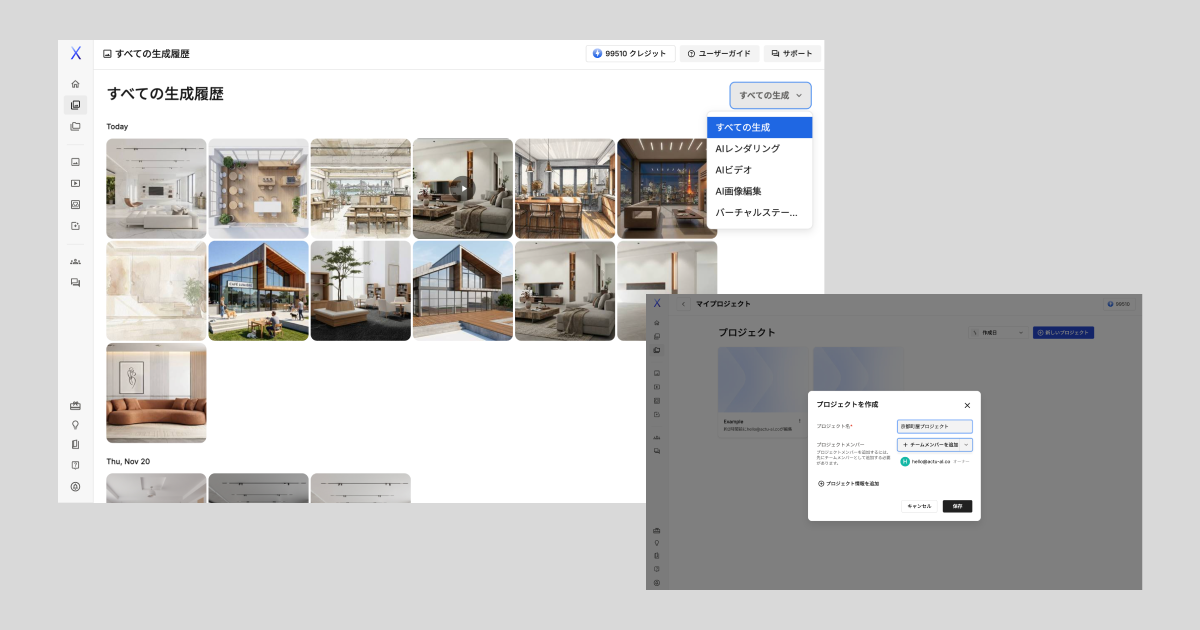
- Global history: All previously generated images are accessible from a single view. Switching between multiple projects or finding a specific result is now quick and straightforward.
- Project sharing: Projects can now be shared with team members directly within ArchiX. Internal review and sign-off workflows no longer require exporting or sending files manually.
4. New Plans Built Around Image Generation
Based on feedback from users who wanted to generate more, and do it as a team, the plan structure has been rebuilt with image generation as the primary unit. Individual and team options are available to match different working styles and volumes.
See the full plan lineup: https://archix.ai/pricing
Coming Next: Location Background Feature
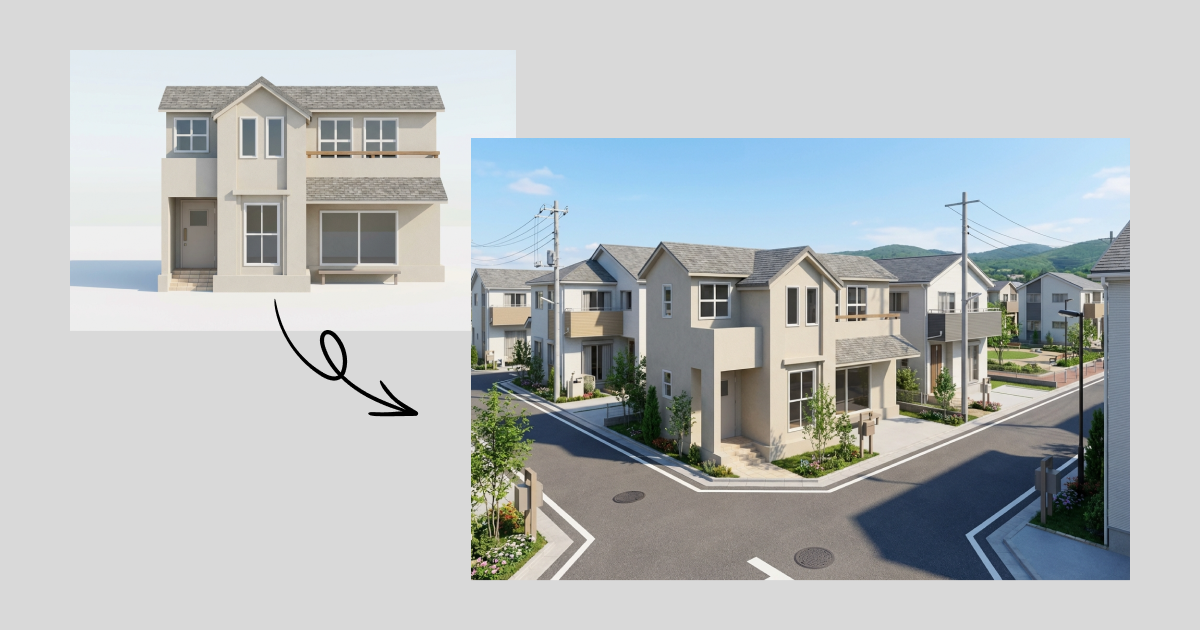
The next update will introduce a location background tool that blends exterior building renders into realistic surrounding environments - making it possible to show how a building sits within its actual or intended context.
The renewed ArchiX is ready to use today. Try the new interface and features for yourself, and see what they change about your workflow.

If you'd like to discuss how these features apply to your specific workflow, or want to see more examples and comparisons, get in touch below.