
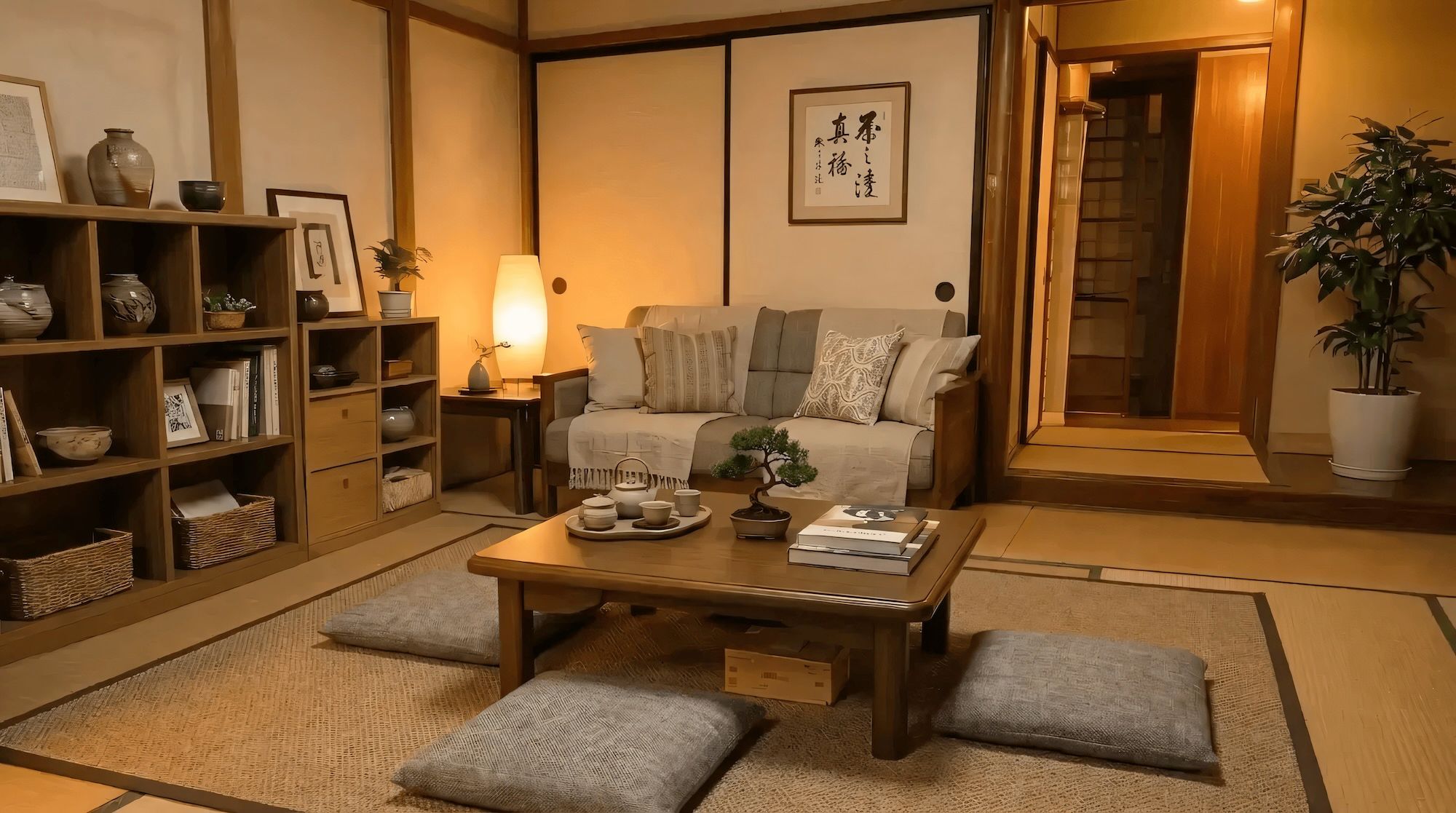
AI Virtual Staging: The Complete Guide to Realistic Results

AI virtual staging has come a long way from being a cheap novelty. For anyone who needs to stage a property, it's now a practical way to turn an empty room into a professionally furnished one, without coordinating an in-person staging team. While traditional staging typically costs $800 to $3,000 for a whole home, virtual staging comes at a fraction of the cost and time.
Source: HomeAdvisor
But the hard part isn't generating a pretty image. It's generating one that stays true to the room. Room geometry must stay consistent, perspective can't drift, lighting has to match the scene, and furnishings need physically plausible scale and placement. Most AI staging tools fall short on at least one of these.
Why Most AI Virtual Staging Looks Fake (And How to Avoid It)
Most obviously fake staging comes down to a handful of repeatable failure modes. Knowing what they are makes it easier to evaluate tools and spot problems before they reach a listing.
Walls move, windows change shape, doorways warp, or new architectural elements appear that weren't in the original photo. Structure-preserving software locks room geometry and only modifies furnishings and lighting.
Furniture appears to float or looks the wrong size because the model didn't follow the scene's perspective lines (its vanishing points). Physically plausible scale and placement require the model to understand the 3D structure of the space, not just fill it in.
Floor grain changes direction mid-frame, reflections don't match light sources, shadows ignore objects that block the light, or denoising makes the image look airbrushed rather than photographed. Consistent materials and pretested lighting presets eliminate most of these at once.
Understanding these failure modes also helps you prompt more effectively, choose the right tool, and know when a result is good enough versus when it needs another pass.
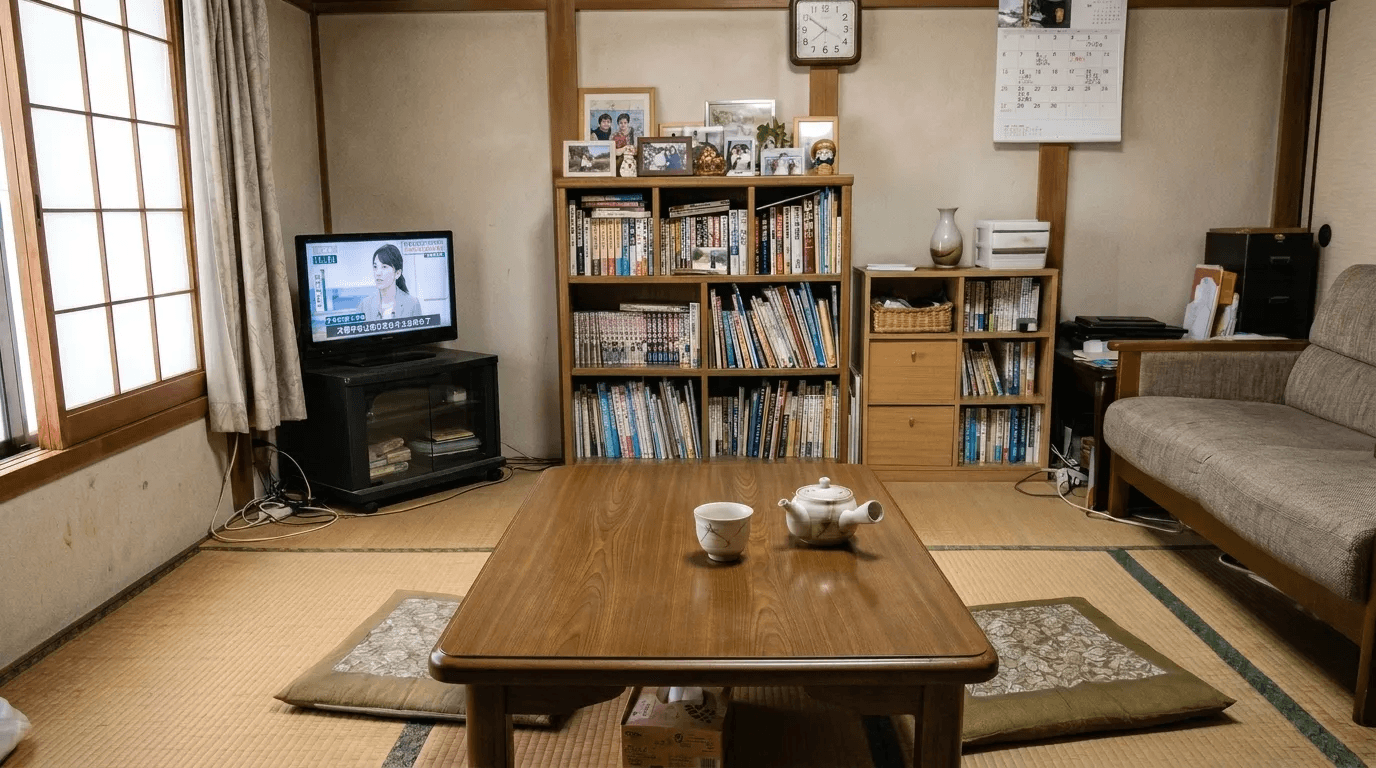
How AI Virtual Staging Works: A Step-by-Step Walkthrough
The best AI virtual staging workflows share a common structure: classify what you're working with, fix the composition, set lighting, then refine. Each step has a specific goal and failure mode it's designed to prevent.
Step 1: Start from a real photo and classify your input
Good tools ask you to classify your input before processing it: photo vs. sketch/CG, and interior vs. exterior. This matters because photo editing requires stricter structure preservation than sketch-to-render generation. The model needs to know what it's working with before it decides how much it can safely change.
Prompt assistance is another differentiator worth looking for. Tools that translate a short style phrase (like "Japandi" or "Scandinavian minimalist") into a precise, standardized description produce more consistent results than tools that leave open-ended prompting entirely up to the user, especially across languages.
Tip: always classify your input accurately. Misclassifying a photo as a sketch applies the wrong processing and produces less reliable structure preservation.
Step 2: Reframe the view to show the room at its best
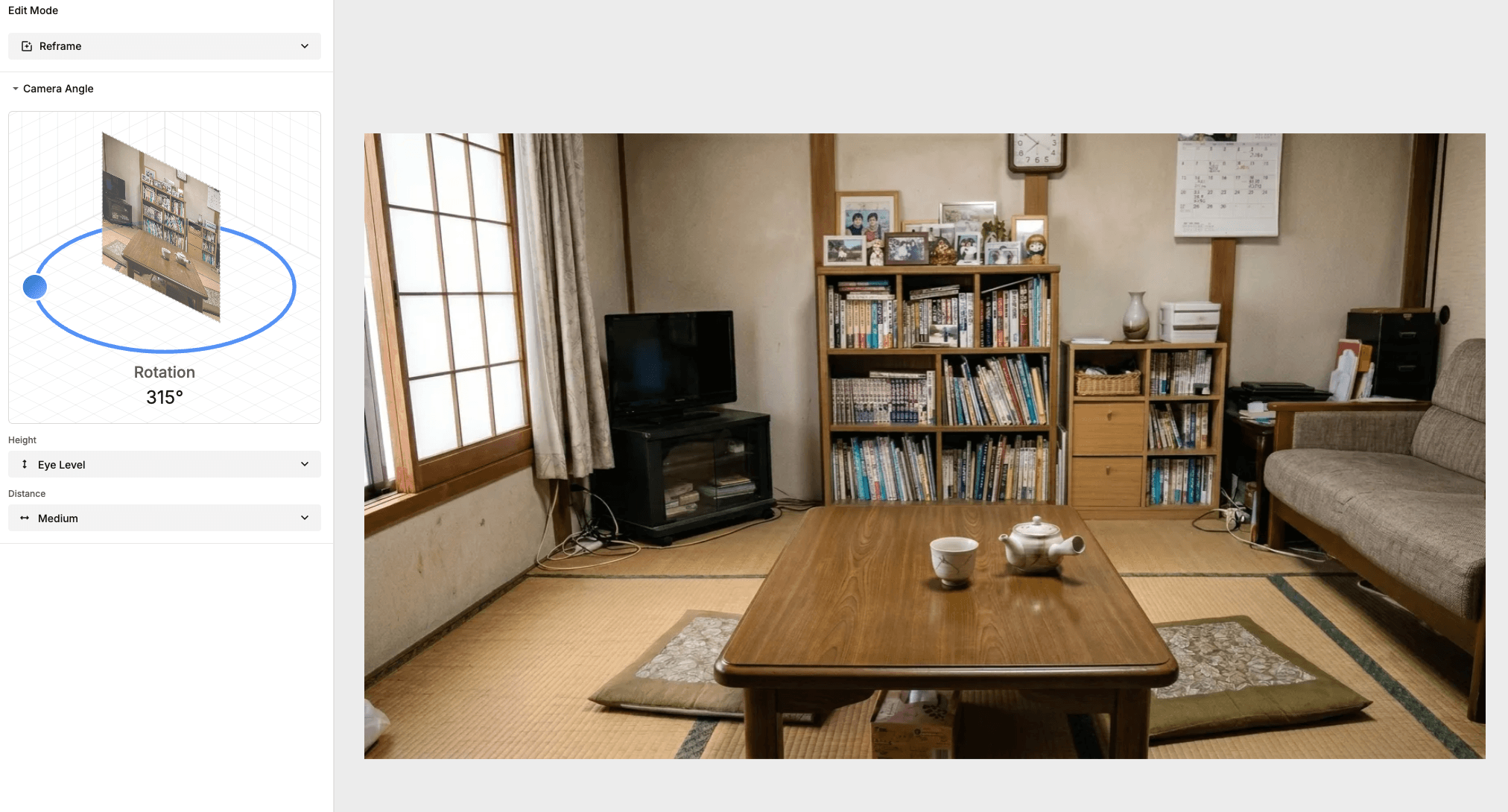
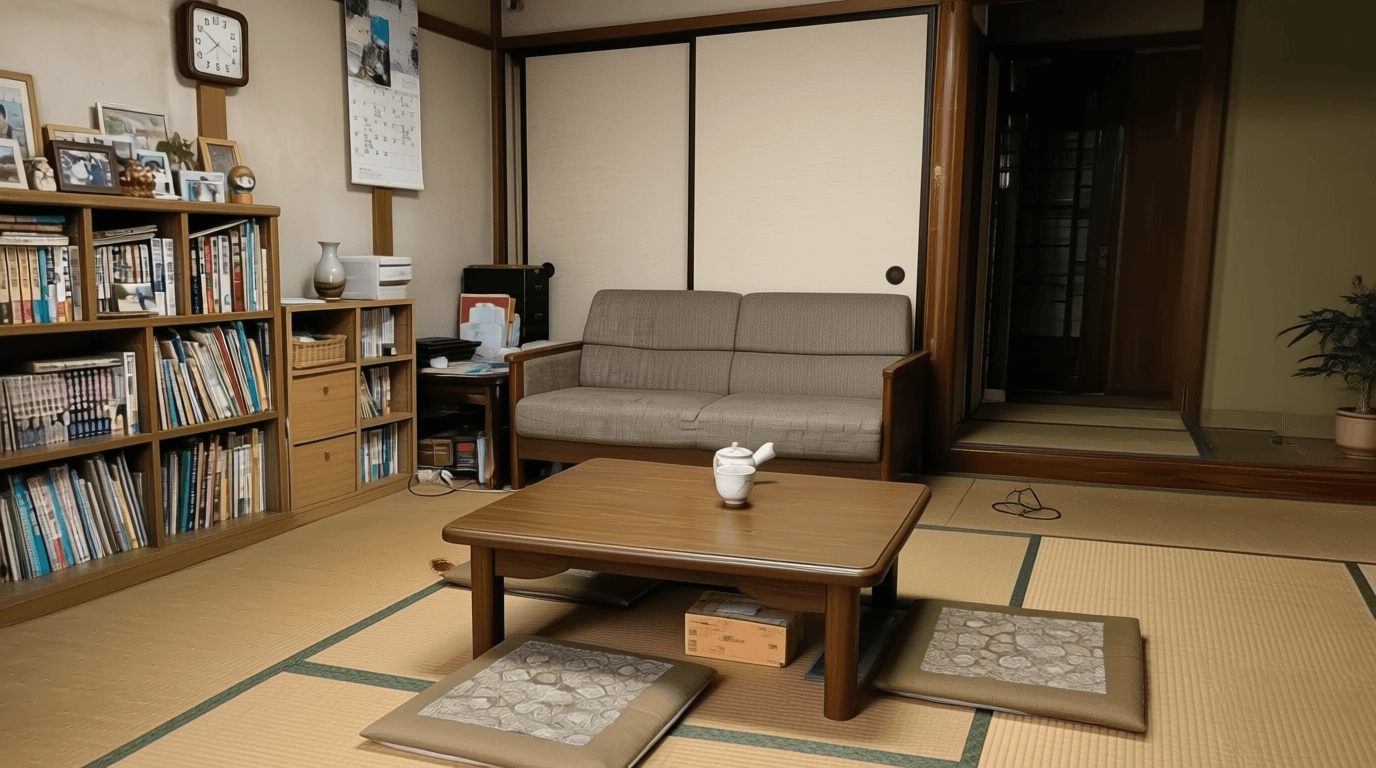
Many interior photos are constrained by the physical space: a tight corner or narrow doorway limits what angle the photographer can shoot from. Reframing tools let you virtually rotate the viewing angle to face the room's best feature. The test of a good reframing tool is whether room geometry stays consistent through the rotation: walls, windows, and floors shouldn't shift or warp.
Step 3: Set lighting and declutter in one click
Lighting consistency is one of the biggest differentiators between realistic and synthetic-looking results. Tools that offer pretested lighting presets (Morning, Day, Night) produce more consistent shadow and illumination behavior than open-ended prompting, because the preset fixes the shadow direction, color temperature, and overall lighting behavior in advance.
Automated decluttering, which removes the current occupant's belongings in a single step before staging, is a separate but equally important capability for vacant or occupied listings. It gives you a clean base to stage from, rather than asking the model to simultaneously remove furniture and add new furniture, which increases the chance of structural errors.
Step 4: Refine with mask-based inpainting edits
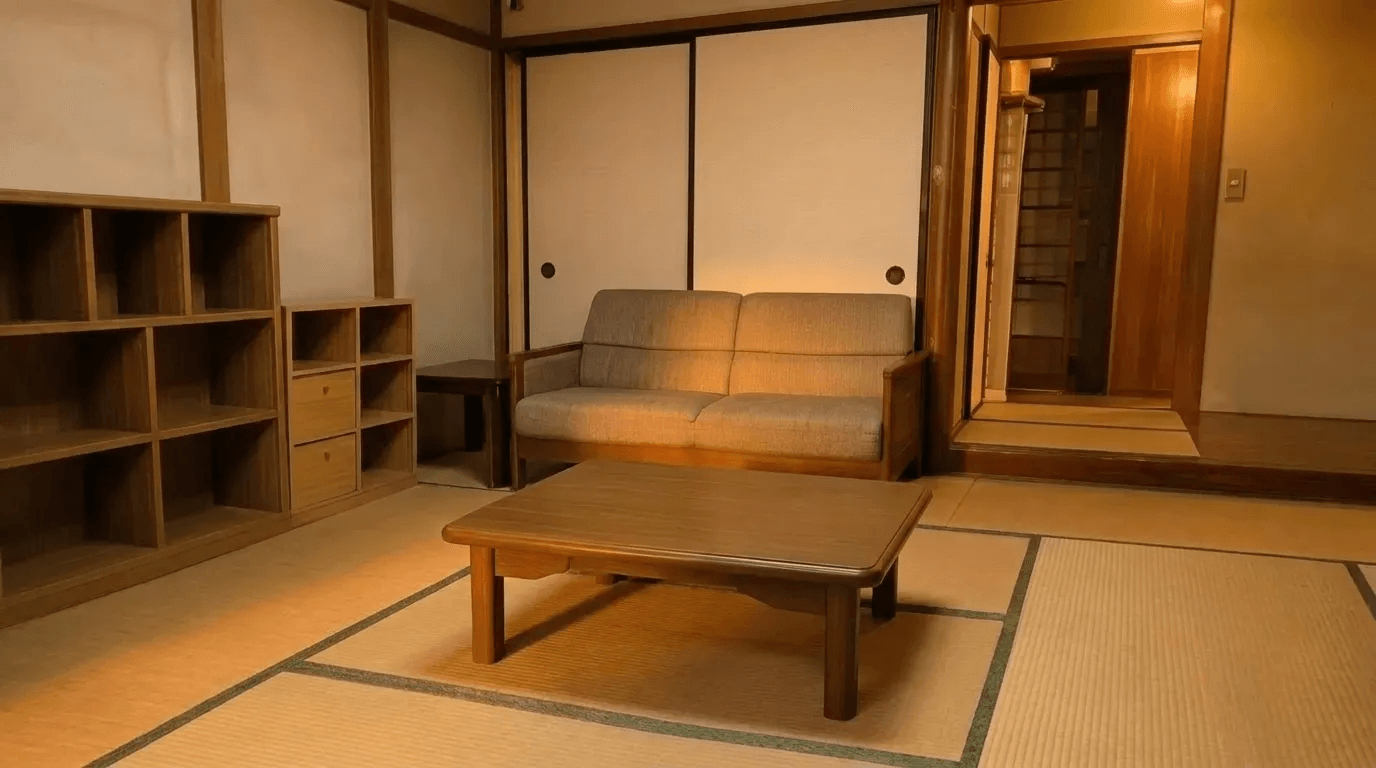
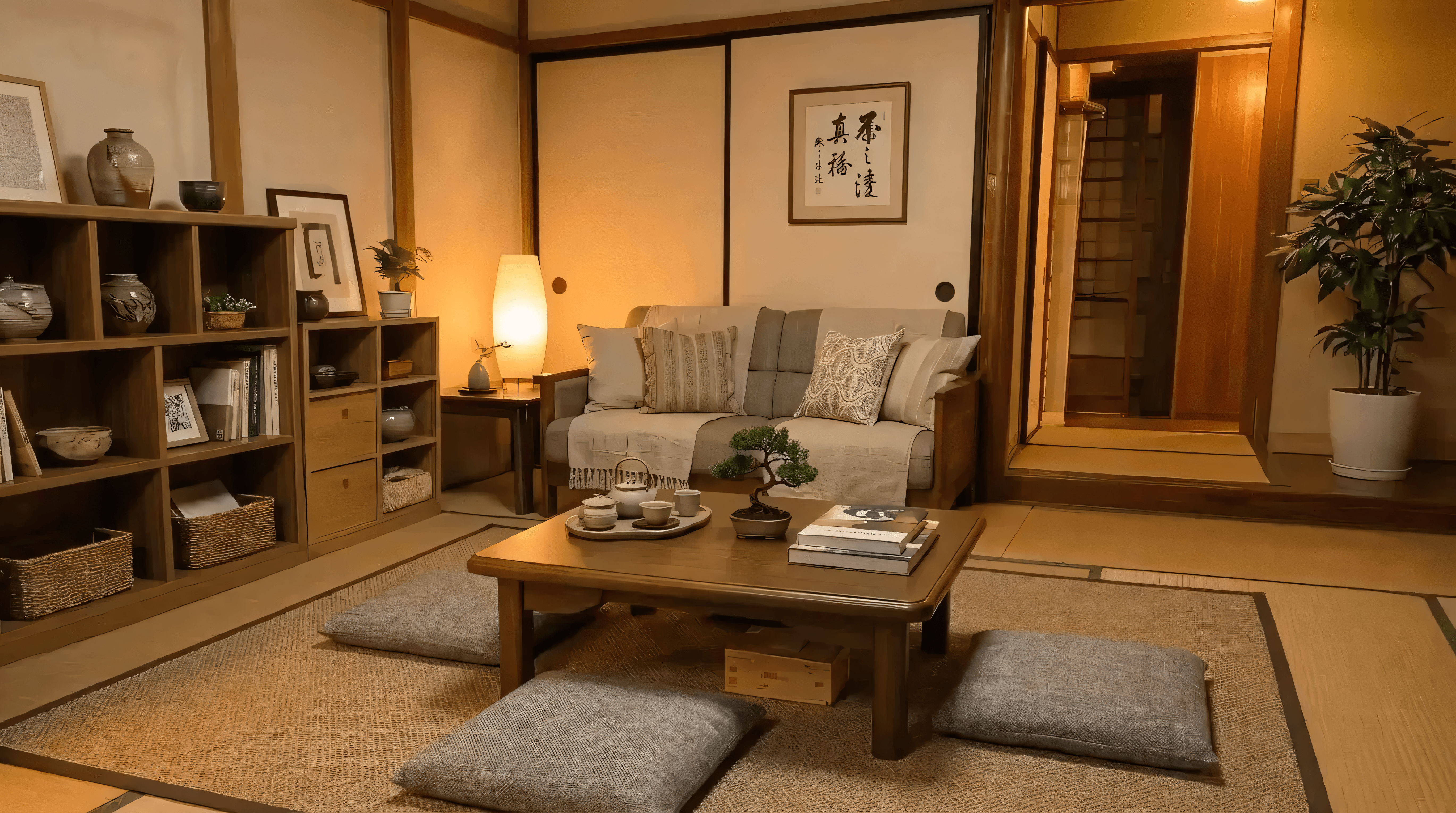
Realistic staging almost always requires iterative corrections after the initial generation: removing a stray cable, adding a rug, adjusting a lamp's position, adding a plant. Mask-based inpainting lets you select a specific region, describe the change in natural language, and regenerate only that area while the surrounding image stays untouched.
This localized approach is the key to keeping corrections from introducing new problems. Whole-image regeneration on every edit accumulates drift, while mask-based edits contain it.
Before
 After
What to Look for in the Best Virtual Staging Software
If you're evaluating AI virtual staging tools, here's a practical checklist of what matters most for realistic results:
- Minimal structural hallucination: walls, windows, and doorways stay exactly as they appear in the original photo
- Pretested lighting modes (Morning, Day, Night) for consistent shadows and global illumination
- Mask-based inpainting for targeted edits that don't disturb the rest of the image
- Variation generation so you can compare layouts before committing
- Prompt assistance to translate style ideas into precise instructions the model can execute reliably
Whether you call it virtual home staging, real estate virtual staging, fast virtual staging, or the best AI virtual staging for your market, these are the factors that separate results that look real from results that look generated.
How ArchiX Applies These Principles
We built ArchiX to address each of these failure modes directly. The goal wasn't just AI virtual staging that looks good in isolation. It was staging that holds up under the same scrutiny as a real photograph. Here is how it measures up against the checklist above.
- Walls that stay put: input classification routes photo edits through a stricter structure-preserving pipeline, so the room keeps the shape it had in the photo.
- Style in your own words: prompt assistance turns a short phrase like "Japandi" into a precise, model-ready description, in whatever language you work in.
- Better angles, same room: the Reframe tool changes the camera angle while preserving room geometry.
- Light that matches: Morning, Day, and Night presets keep shadows and lighting consistent across variations.
- A clean base to stage from: one-click decluttering clears the room first, so the model isn't removing and adding furniture at the same time.
- Changes only where you point: mask-based inpainting regenerates just the selected area and leaves the rest of the image untouched.
- Layouts to compare: up to three variations in a single run, so you can choose before committing.
Want to try AI staging yourself? Test it on one room from your next project.
It only takes a few minutes.
Frequently Asked Questions
What is virtual staging?
Virtual staging is the process of digitally adding furniture, decor, and lighting to a photo, producing a listing-ready image without physically staging the property. It's used by agents, home sellers, builders, and designers to make vacant or cluttered homes more appealing to online buyers.
Who is virtual staging for?
Anyone who needs to show a space as finished: real estate agents and home sellers marketing a vacant property, photographers and property marketers, interior designers presenting a concept, builders selling homes before they are furnished, and short-term rental hosts.
Virtual staging vs real staging: which is better?
Real staging is best when buyers will visit in person. Virtual staging is faster, far cheaper, and ideal for online listings, vacant properties, and properties where physical access is limited. In the US, professional staging typically costs $800 to $3,000 per home, according to HomeAdvisor, while virtual staging usually costs a fraction of that.
Does virtual staging help sell a house?
Staging generally helps. In the National Association of Realtors' 2025 survey, 49% of sellers' agents said staging reduced the time a home spent on the market, and 29% of agents reported a 1% to 10% increase in the dollar value offered. These are agent-reported figures for staging in general, not only virtual staging. Virtual staging is particularly effective for empty room virtual staging scenarios, where a vacant property can be hard for buyers to visualize.
Is virtual staging legal?
Yes, but it usually has to be disclosed. Many MLSs require staged photos to be labeled, and since January 2026 California law requires a conspicuous disclosure and access to the unaltered original photo (Inman has an explainer). Rules vary by market, so check your local MLS or association before publishing. Staging should add furniture and decor, not change the structure of the room.
Is AI virtual staging realistic?
Yes, when the software preserves room geometry, perspective, lighting, and materials. Realism usually breaks in the same few places (structure drift, floating furniture, and mismatched shadows), so those are the first things to check before you publish.
Can buyers tell if a photo is virtually staged?
Not when it is done well. The usual giveaways are inconsistent shadows, warped walls or windows, and wrong furniture scale. Even when a staged photo is hard to spot, disclose it where the rules require.
How much does virtual staging cost?
Professional in-person staging typically costs $800 to $3,000 per home in the US, according to HomeAdvisor, and furniture rental for a vacant home can run $500 to $600 per room per month, according to Bankrate. Virtual staging is usually priced per image and costs a fraction of that.
How does AI virtual staging work?
You start from a real photo, classify the input (photo vs. sketch, interior vs. exterior), then drive controlled changes with prompts, masks, and references: reframing the view, decluttering, adjusting lighting, and making localized edits while keeping the room's structure intact.
What should you look for in virtual staging software?
Look for software that keeps the room's structure intact, gives you consistent lighting controls, lets you edit one area without redoing the whole image, and offers layout variations to compare. These are the factors that separate results that look real from results that look generated.